
Configuration
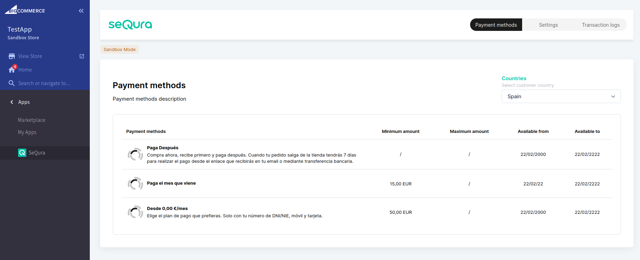
Manage payment methods
After completing the onboarding flow, you will be able to filter and see imported payment methods for each selling country on the payment methods page.
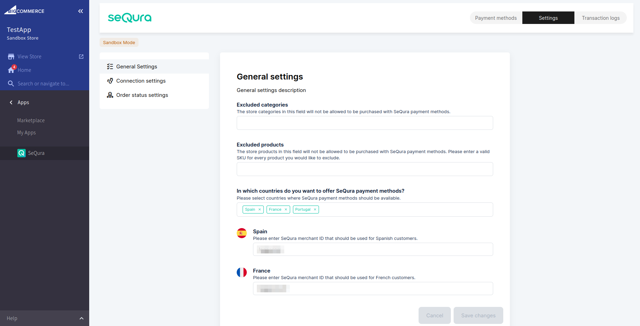
Manage general settings
You will also be able to configure the general settings of the SeQura integration.
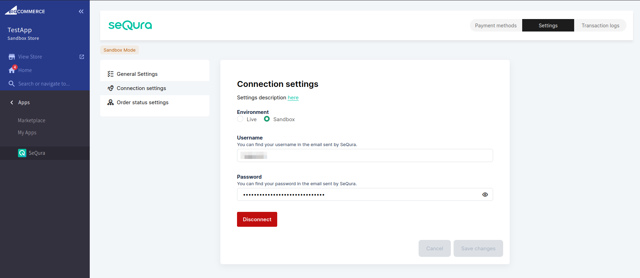
Manage connection settings
At any point after the initial onboarding flow, you will be able to disconnect your current API credentials or change connection settings.
seQura Static IPs
seQura uses 6 static IPs for both sandbox and production environments:
34.253.159.17934.252.147.15552.211.243.17752.215.76.3634.248.152.14234.254.127.74
⚠️ Important: Remember to add them to the whitelist if you're using Cloudflare, firewalls, or similar services.
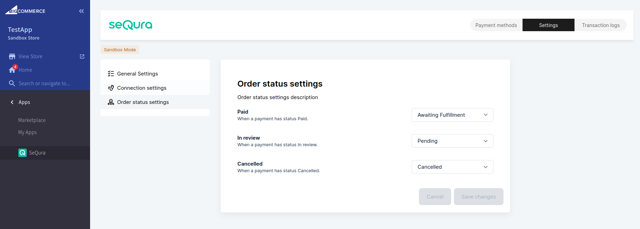
Manage order status settings
You also have the option to customize mappings of SeQura order statuses to corresponding shop order statuses that the order will transition to once the integration receives a webhook update for the SeQura order status. Integration will add the default mappings during the installation process, but you are free to set them to whichever status you see fit, including the “None” option that will just ignore this status transition.
Updated about 1 month ago