
Configuration
Payment method settings
The seQura app configures the payment method's technical settings (URL, credentials) automatically — you don't need to change them, and doing so may break payments. What you can adjust, from Settings → Checkout → Payments → SeQura:
Zones: choose which shipping zones offer seQura at checkout. Example:

Products: offer seQura for all product categories or only selected ones

Position: drag the method up or down in the payment methods list to change its order at checkout.
Selling in more than one country
One seQura payment method covers all the countries you sell in. If you have seQura contracts for several countries (for example Spain and Portugal), each order is automatically routed to the right contract based on the shopper's shipping country (or billing country when there's no shipping address). Nothing to configure.
Physical, digital, and service products
The integration supports stores selling physical goods as well as digital products and services (courses, subscriptions, downloadable content). Orders without a shipping address are handled automatically.
How checkout works for your shoppers
- At checkout, the shopper selects SeQura as the payment method.
- They're redirected to a secure seQura payment page where they pick their payment option and complete the purchase.
- They're sent back to your store with the result: completed, pending review, or failed.
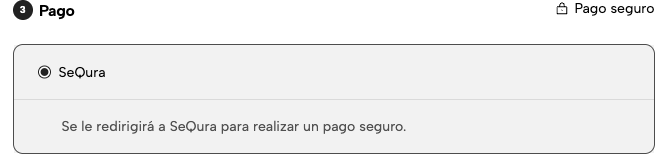
The payment page is shown in the shopper's language, based on the store country.
seQura Static IPs
seQura uses 6 static IPs for both sandbox and production environments:
34.253.159.17934.252.147.15552.211.243.17752.215.76.3634.248.152.14234.254.127.74
⚠️ Important: Remember to add them to the whitelist if you’re using Cloudflare, firewalls, or similar services.
Order management
- Approved payments mark the Jumpseller order as Paid automatically.
- Payments under review leave the order Pending; the shopper is told the payment is being reviewed. Once seQura resolves the review, the order is updated automatically — paid if approved, failed if not.
- Refunds and cancellations of confirmed orders are managed from your seQura merchant portal, not from the Jumpseller admin. Cancelling an order in Jumpseller does not cancel the seQura payment, and vice versa — always manage the payment side in the portal.
Updated 3 months ago